Can I use Listing Management for a location that does not have a physical address?
Yes, it is possible. An address is required to use the Listing Management tool. However, on setup, you can opt to hide your business address from the directories.
Please note that when adding an address, it must be a physical mailing address (P.O. Boxes are not eligible).
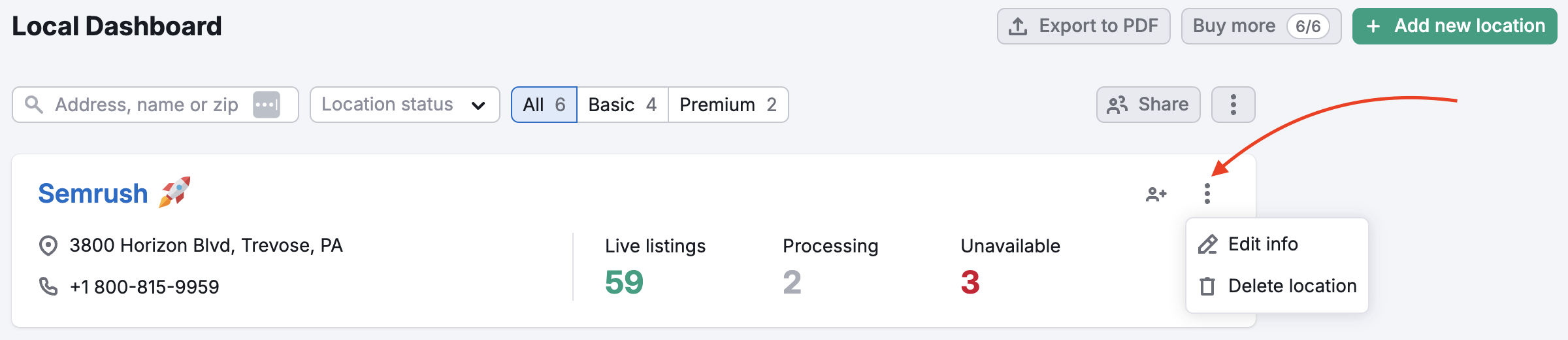
Also, you can hide the address after setup. Go to the Local Dashboard and click on the “Edit info” button.
In the Placement section, you will be able to hide the address.
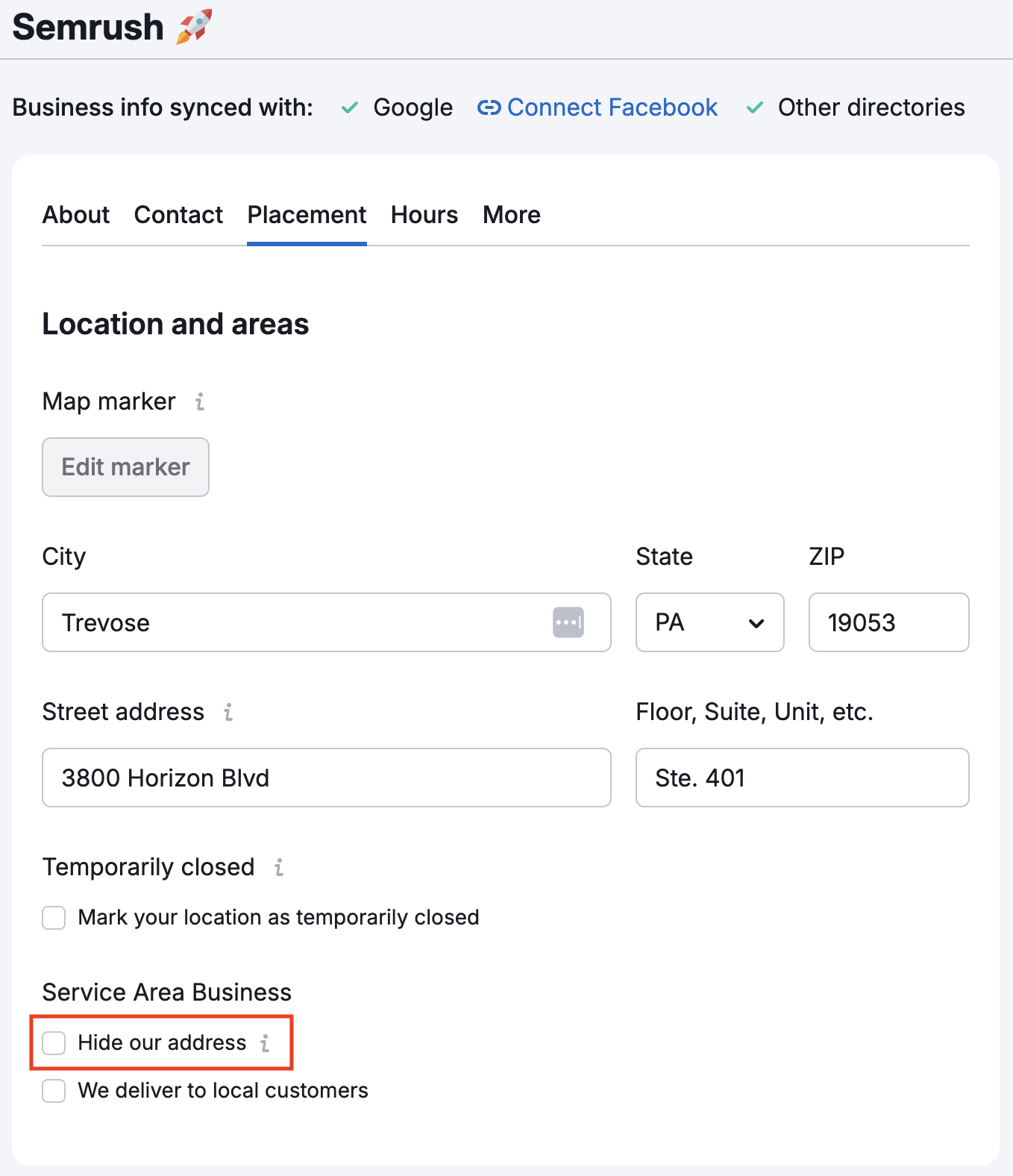
Please note: Hiding your address is only applicable for selected websites.
 以下に戻る: Semrushツールキット カテゴリ